
Monsoon Commerce Payment Module
Monsoon Commerce Payment Module
Contents of this Topic: Show
Select Computer Based Parameters.
Select the current workstation from the Parameter Scope list, if more than one workstation is listed.
Select PIN Device from Parameter Group.
For each of the parameters whose manufacturer's value is different from the default setting in the Payment Module parameter, click Scoped and enter the correct setting in Value.
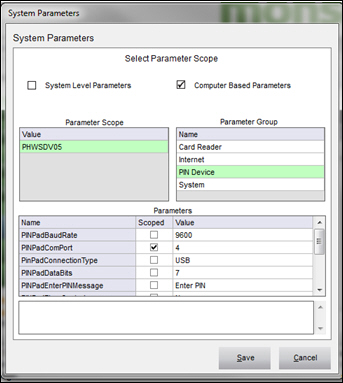
For parameter PINPadComPort, go to the Windows Control Panel > Device Manager > Ports and identify the port number the operating system assigned to the device.
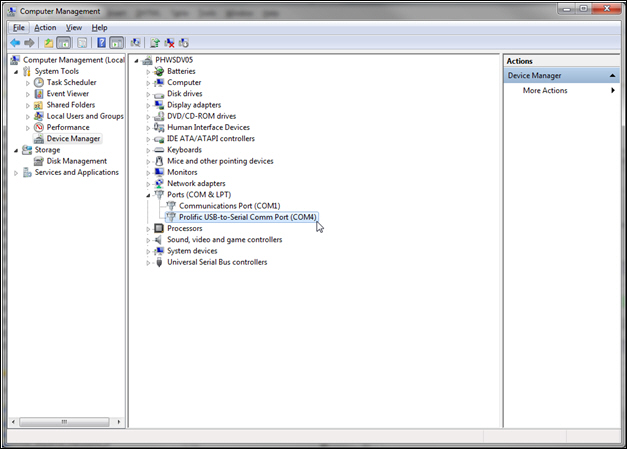
Click Scoped and enter that number in Value.
When finished settings all of the parameters, click Save.
Created: 2/21/13
Revised: 5/15/14
Published: 04/13/2016